New · Team inbox with assign, notes & reply targets

All your email in one fast app.
Works even without internet.

Gmail, Zoho, Outlook, Hostinger and company email together. Share care@ with your team, assign every mail, and never send two replies to the same customer.

Free forever for 1 email account · No credit card · Made in India
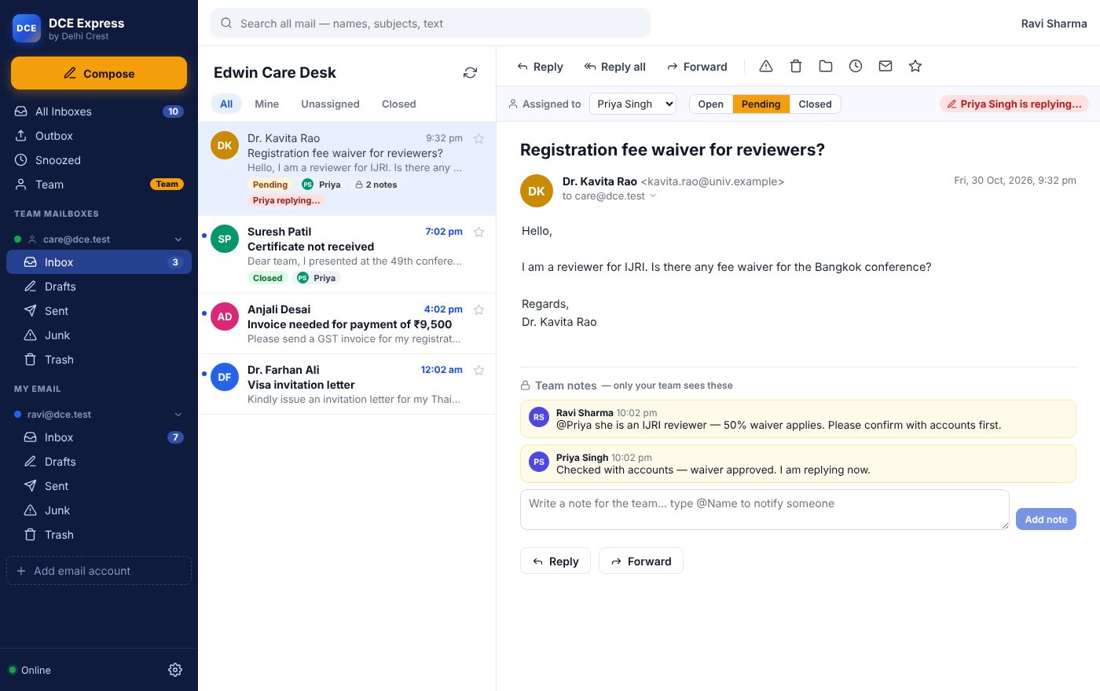
DCE Express team inbox: mail assigned to a teammate, status Pending, private notes and 'Priya is replying'

Everything you need, nothing you don't

Built for offices, colleges, publishers and conference teams that live in their inbox.

📥

All inboxes together

Add Gmail, Google Workspace, Zoho, Outlook, Yahoo, Hostinger, Titan or any cPanel mail. One list for everything.

📴

Works offline

Read mail, search and write replies with no internet. They are sent the moment you are back online.

👥

Shared team inbox

Everyone works from care@ or sales@. Assign mail, mark Open / Pending / Closed, and leave private notes.

🔐

Sign in with Google

Connect Gmail and Microsoft 365 with one click — no App Passwords. Your password never reaches us.

⏱️

Reply-time targets

Set a target like "reply within 4 hours". Late mail turns red, and reports show who is fast.

⚡

Templates, rules, snooze

Ready answers in one click, rules that sort new mail, and snooze to bring mail back when you need it.

GmailGoogle WorkspaceZoho MailOutlook / Microsoft 365YahooHostingerTitancPanel / any IMAP
Team inbox in DCE Express

One company inbox. The whole team. Zero double replies.

Connect care@yourcompany.com once. Every member sees it in their app — the password stays locked on our server and is never shown to them.

  • Assign each mail to a person, or click Take it
  • Open, Pending and Closed — plus Mine and Unassigned tabs
  • Private team notes; type @name to alert a colleague
  • "Priya is replying…" warning so nobody answers twice
  • Closed mail opens again by itself if the customer writes back

Add an account in under a minute

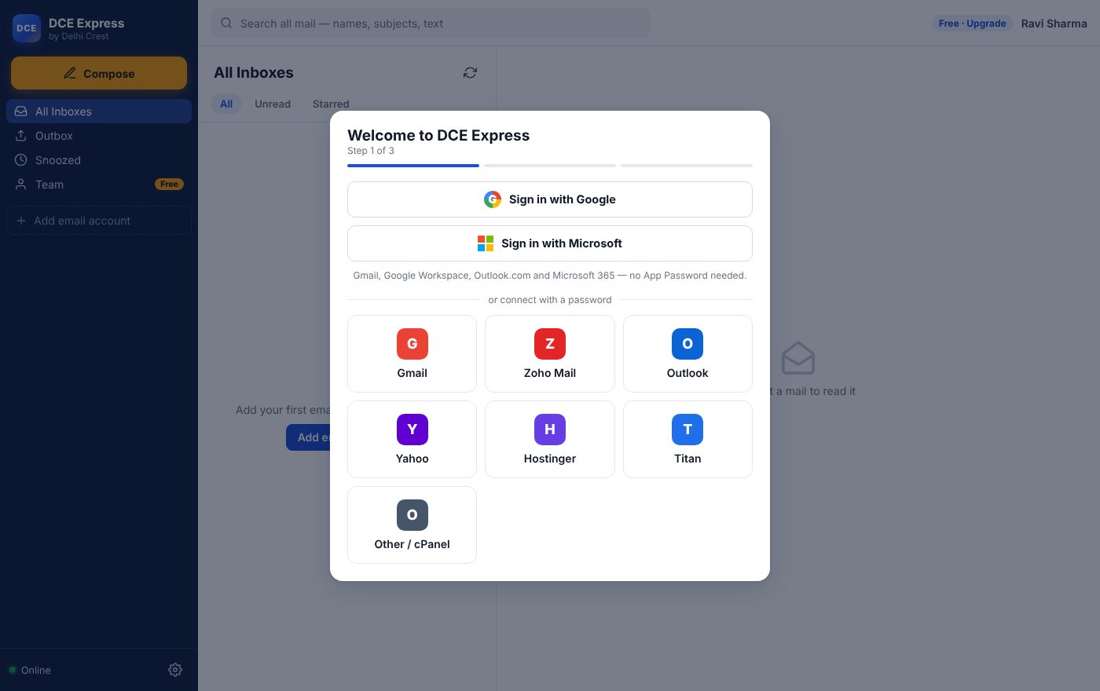
Pick your provider and DCE Express fills in all the server settings. For Gmail and Microsoft 365, just click Sign in.

  • Each person can add their own email accounts too
  • Passwords are stored on your computer, locked by Windows / macOS
  • Pictures from strangers are blocked until you allow them

Get DCE Express

Adding an email account in DCE Express

How DCE Express compares

Keep your email where it is. Pay in rupees.

DCE Express TeamOutlook desktop (Microsoft 365 Standard)Shared inbox tools (Hiver, Missive)
Price per user₹199 / monthabout ₹860 / month + GSTabout ₹1,200 – ₹7,000 / month
Works with Gmail, Zoho, cPanelYesPartlyMostly Gmail / Outlook only
Shared team inbox with assign & notesYesNoYes
Works offlineYesYesNo (web app)
Pay by UPI, Indian supportYesCard / resellerNo

Competitor prices are approximate public list prices and may change.

Questions

Do I have to move my email to you?

No. DCE Express connects to the email you already have — Gmail, Zoho, Outlook, Hostinger or your company server. Your mail stays there.

Where is my mail stored?

On your own computer, so it opens fast and works offline. Our server only keeps your login, your package and team details such as who a mail is assigned to.

Can my team use one mailbox together?

Yes, with the Team and Business packages. The owner connects the mailbox once and everyone in the team can work on it.

How do I pay?

Pay by UPI or bank transfer and enter the reference number in the app. Your package is switched on within a few hours. GST invoice provided.

Is there a free plan?

Yes. Free forever for one person with one email account. Upgrade only when you need more.

Try DCE Express free today

Windows and Mac. Set up in two minutes.

Download free Book a team demo